Family Life
How to Set Up Video Calls So Grandparents Can See the Baby Every Week
A practical plan for weekly grandparent video calls with a baby: choosing a device for each household, agreeing on one app, setting up auto-answer and accessibility options, timing calls around naps, and keeping the grandparent's device safe from scams.

As an Amazon Associate I earn from qualifying purchases.Some links on this page are affiliate links. If you buy through them, Mom's Magazine may earn a small commission at no extra cost to you. It never changes which products we recommend. How we recommend products.
To make weekly grandparent video calls actually happen, set them up like a standing appointment, not a spontaneous favor. Pick one app both households already have (FaceTime if everyone is on Apple, WhatsApp or Google Meet if not), put the grandparent's device on a stand at face height, and finish the account, contact, volume, and caption settings yourself during one visit or a guided call. For grandparents who struggle to answer, use a device or setting that can answer on its own, such as iPhone and iPad Auto-Answer Calls or Alexa Drop In with mutual permission. Then lock in a recurring slot that fits the baby's best awake window, keep calls short, and give the grandparent something to do on camera, like singing or reading.
Most grandparents do not need convincing that they want to see the baby. What breaks weekly video calls is friction: one household is on FaceTime and the other is on WhatsApp, the tablet is dead in a drawer, the call rings during the only nap of the day, or Grandpa answers but the camera shows the ceiling fan. Each problem is small. Stacked together, they turn a weekly call into a monthly one, and then into a few photos a season.
This guide is a setup plan, not a gadget roundup. We explain how to pick the right device for each side of the call, which settings to change, and how to build a routine a baby can actually enjoy. Feature descriptions come from Apple, Amazon, Google, and WhatsApp help pages, linked in the sources at the bottom. We have not run lab tests, and we don't quote prices, because they change weekly.
Is video chat screen time for a baby?
The American Academy of Pediatrics' policy on young children's media use discourages screen media for children younger than 18 months, with an explicit exception for video chatting. The AAP describes video calls with family as relationship time, especially when a parent helps the baby follow along.
Start with the grandparent, not the gadget
Before you buy or download anything, be honest about who is on the other end. A grandparent who texts photos and scrolls Facebook every day needs a different setup than one who keeps a flip phone in a kitchen drawer. Most families fall into one of four situations.
| Grandparent situation | Simplest setup | What you handle for them |
|---|---|---|
| Comfortable with their smartphone | Their own phone plus a cheap stand | Agree on the app, save your contact as a favorite |
| Owns a tablet but rarely uses it | Tablet on a stand in their usual chair or kitchen spot | Updates, sign-in, text size, one-tap contact |
| Struggles with tapping Answer | Auto-answer setting or a smart display with Drop In | Permissions, volume, and testing before you leave |
| Very limited vision or memory | Simplified interface (such as Apple's Assistive Access) or an auto-answer device | Everything, plus a caregiver who can help on call day |
Your side matters too. If you will be holding a wriggling baby, you want a device that can stand on its own, a camera you can aim without fiddling, and an app you already use every day. A phone propped on a stand works fine. A laptop works too, as long as it is not your work machine with notifications pinging all call long.
Pick one app both households already have
The best calling app is the one both sides already have and can open without help. Do not add a third app just for grandparent calls. Pick the one that matches the phones in both houses, then delete or hide any competing call apps on the grandparent's device so there is only one path.
- FaceTime: built into iPhone, iPad, and Mac. If the grandparent uses an Android phone or a Windows computer, an Apple user can create a FaceTime link that the other person opens in a current version of Chrome or Edge with no Apple account needed. The person who created the link has to let them into the call.
- WhatsApp: works on both iPhone and Android and handles one-to-one and group video calls, so aunts and uncles can join the baby call too. WhatsApp's help center says up to 32 people can be active on a video call at once.
- Google Meet: works in a browser and in apps, and Google says Meet calls also work on supported Nest smart displays such as the Nest Hub Max, where you can start a call by voice.
- Alexa calling and Drop In: if the grandparent has, or would accept, an Echo Show, calls can come through the Alexa app on your phone. Drop In, which connects without anyone tapping Answer, only works after both people grant each other permission.
The one-app rule
Write the app's name on a card next to the grandparent's device, with a picture of its icon. When a call goes wrong, the fix starts with 'open the green camera app,' not 'which app was it again?'
When the grandparent can't, or won't, tap Answer
For some grandparents, the hardest part of a video call is the first three seconds: finding the device, seeing who is calling, and tapping the right button before it stops ringing. If that describes your parent, set up a call that answers itself. You have three main routes.
- Auto-answer on an iPhone or iPad. Apple's accessibility settings include Auto-Answer Calls under Settings > Accessibility > Touch > Call Audio Routing. Once it is turned on, the device answers phone and FaceTime calls after a delay you choose. Put the device on a stand, plugged in, and the grandparent only has to look up.
- Drop In on an Echo Show. When you have Drop In permission, the connection starts automatically and the Echo's light indicator pulses green. Amazon requires both people to grant Drop In permission to each other, and you can turn it on or off per device in the Alexa app.
- A simplified interface. Apple's Assistive Access combines Phone and FaceTime into a single Calls app with large buttons, and lets you choose who can call in, for example favorites only. Calls are still answered with a large Answer button rather than automatically, so test whether that button is easy enough for your parent.
If you are choosing a device specifically for a grandparent who can't reliably answer calls, read Senior Tech Review's comparison of video-calling devices that answer on their own before you buy. It looks at the question from the older adult's side: screen size, how calls come in, and what the setup asks of the person who lives with the device. In partnership with Senior Tech Review.
Whichever route you choose, auto-answer means anyone you have allowed can appear on that screen without warning. That is the point for a grandparent who wants to see the baby, but it is also why the permissions section below matters.
Set it up in one sitting, on a visit or a guided call
The ideal time to set up a grandparent's device is during an in-person visit, with the baby napping and an hour to spare. If you live far away, do it on a guided phone call with someone local, or ask a sibling who lives nearby. Either way, finish everything in one session so the device is never half configured.
- Install system updates and the calling app's latest version first, before you change any settings.
- Confirm the grandparent's account sign-in works, and write the account email somewhere they keep important papers. Not the password, unless they ask you to.
- Add parents, siblings, and anyone else who will call as contacts with a clear photo, and mark the regular callers as favorites.
- Turn on auto-answer or Drop In only for the people who should have it.
- Raise ringer and call volume, and test a call with the grandparent sitting where they normally sit.
- Make text and buttons larger in the display or accessibility settings.
- Turn on captions if hearing is an issue. Apple's FaceTime offers Live Captions on supported devices and languages; check what your parent's device supports.
- Put the device on a stand at face height, plugged in, somewhere they spend time every day.
- Make two test calls: one from you, one from another family member, so you know both directions work.
Leave a one-page cheat sheet with three things on it: how to answer if the call does not answer itself, how to end a call, and who to text when something stops working. If the grandparent already received a device as a gift, our guide to tech gifts grandparents will actually use covers the same setup-before-wrapping principle for photo frames and tablets.
Browse adjustable tablet and phone stands on AmazonAffiliate search link. Check that the stand fits the device size and holds it at a stable angle; we do not rank specific stands.
Turn it into a weekly ritual that survives nap schedules
Spontaneous calls rarely work with a baby. The AAP's guidance on video chatting with infants and toddlers recommends a consistent time, every night or every week at the same time, because a predictable routine helps the child and keeps the relationship steady. For grandparents, a fixed slot also means they can be dressed, sitting down, and ready.
- Choose the baby's best awake window, usually not right before a nap or late afternoon when babies tend to get fussy. Our nap schedules by age guide can help you find it.
- Keep the same day and time for at least a month, and put it on both calendars as a recurring event.
- If you live across time zones, set the slot in the baby's time zone and let the grandparent adjust.
- Keep calls short: five to ten minutes of a happy baby beats a forty-minute call with a meltdown in the middle.
- Have a backup plan when the baby is asleep or sick: send a short video clip instead, so the grandparent still gets their weekly look.
Weekly calls also help you. If you are raising a baby far from family, a standing grandparent call can be a small, reliable bit of support, the kind we discuss in parenting without a village. Some grandparents are happy to take over for ten minutes of singing while you drink a hot coffee.
What to actually do on the call, by age
Babies cannot carry a conversation, so give the grandparent a role. The AAP suggests linking the call to an activity like a meal or a book, keeping the same toys nearby, and having the parent point out and name what the baby sees on screen. Here is how that looks at different stages.
Newborn to about 6 months
The call is mostly for the grandparent, and that's fine. Hold the baby in a well-lit spot so their face is clear, and let the grandparent talk or sing. Babies at this age respond to voices and faces, even if they look away from the screen often. Feeding calls work well because the baby is calm and still.
About 6 to 12 months
Now the baby can join in. Peekaboo, waving, clapping songs, and the grandparent showing a favorite toy or pet all work. The AAP notes that infants look at the screen for only part of a video chat, so point and narrate: 'Look, Grandma is waving!'
About 12 to 24 months
According to the AAP, toddlers around 18 to 24 months start to understand that the face on the screen is a real person. Repetition helps. Have the grandparent read the same short book each week, show their kitchen or garden so the child learns where they live, and keep the same opening song. Let the toddler hold the phone sometimes; they will drop it, and that's part of the game.
If you are watching screen time in general, video calls with family are treated differently from shows and apps. Our screen time guidelines by age explain where video chat fits.
Camera, light, and sound on the baby's side
- Face a window or lamp, not away from it. A bright window behind you turns you and the baby into silhouettes.
- Put the device on a stand or stack of books so your hands are free and the camera stays at the baby's eye level.
- Frame a little wider than you think, because babies move. A play mat on the floor with the camera low often works better than a lap.
- Turn off the TV and silence other notifications, which the AAP also recommends, so the grandparent's voice is the only one competing for attention.
- If the grandparent struggles to hear, try headphones on their end or move the call device closer to them rather than just turning the volume up on yours.
When the call won't connect: a five-minute fix list
Most failed calls come down to the same handful of problems. Keep this list on your phone, and walk through it in order when the grandparent says 'it's not working.'
- Is it the right app? Check the grandparent opened the agreed app, not a similar-looking one.
- Is the device charged and on Wi-Fi? Ask them to look for the Wi-Fi symbol at the top of the screen. If the home internet is down, a phone on cellular data may still work.
- Is someone muted or is the camera off? On most apps, a microphone or camera icon with a line through it means it's off. Tap it once.
- Is the volume down or the device silenced? Have them press the volume-up button several times.
- Is an update waiting? Pending app or system updates can break calling. Schedule updates for right after a call, not right before.
- Is auto-answer or Drop In still on? Updates and device resets can change settings. If calls stopped answering themselves, recheck the permission in settings or the Alexa app.
- Still stuck? Restart the device, then call again. If it fails twice, switch to a regular phone call and fix the video on your next visit.
Privacy and scam safety on the grandparent's device
A device that answers by itself is a device you need to lock down. Grant auto-answer, Drop In, or favorite status only to people the grandparent knows and trusts. With Alexa, the permission is per contact, and Amazon notes that a contact's household members can also connect, so review the list after holidays when new phones get added. On Apple devices, Assistive Access lets you limit incoming calls to contacts or favorites.
Grandparents who are newly comfortable with calls can also be targets. The FTC warns that scammers can use AI to clone a family member's voice from a short audio clip and then call with a fake emergency and an urgent request for money. Talk about this with your parents directly, and set two family rules.
- If anyone calls saying a family member is in trouble and needs money, hang up and call that person back on a number you already know.
- Agree on a family safe word, and never send money by gift card, wire transfer, cryptocurrency, or payment app because of an urgent call.
- Keep baby photos and voice clips in private family albums or chats rather than public posts, which reduces what a scammer can copy.
- Show the grandparent how to block and report an unknown caller in their calling app.
The bottom line
Weekly grandparent video calls rarely fail because of love. They fail because of friction. Pick one app, give the grandparent a device and setup that matches their comfort level, including auto-answer if tapping is hard, and finish every setting in one sitting. Then protect a recurring slot in the baby's best awake window, keep calls short and playful, and treat the call like the family tradition it can become. A year from now, your toddler may run to the screen yelling a grandparent's name, and that's worth an afternoon of setup.
Frequently Asked Questions
What is the easiest way for grandparents to video call a baby?
Use the calling app both households already have, put the grandparent's device on a stand at face height, and save your contact as a one-tap favorite. If the grandparent struggles to answer, turn on Auto-Answer Calls on an iPhone or iPad, or use Drop In on an Echo Show with mutual permission, so the call connects without tapping.
Can a grandparent with an Android phone FaceTime with an iPhone family?
Yes. An iPhone, iPad, or Mac user can create a FaceTime link and send it. The grandparent opens it in a current version of Google Chrome or Microsoft Edge on Android or Windows, enters a name, and waits for the host to let them in. No Apple account is needed. If calls happen weekly, WhatsApp or Google Meet may be simpler because both sides use the same app.
Is video chatting with grandparents bad screen time for my baby?
The American Academy of Pediatrics makes an exception for video chatting in its screen media guidance for children younger than 18 months and describes family video calls as relationship time. Keep calls short, sit with the baby, and point out what they see on screen.
How often should grandparents video call a baby?
There is no required number, but a predictable routine helps. The AAP suggests a consistent time, such as the same time each week. Many families find a short weekly call during the baby's best awake window easier to keep than frequent unplanned calls.
Is it safe to set up auto-answer or Drop In for a grandparent?
It can be, if you limit who has permission. Grant Drop In or favorite status only to trusted family, review the list periodically, and talk with the grandparent about family-emergency scams. The FTC recommends hanging up and calling the family member back on a known number before sending any money.
Sources & Further Reading
- Media and Young Minds (AAP policy statement) — American Academy of Pediatrics (reviewed 2026-10-20)
- Tips for Video Chatting with Infants and Toddlers — American Academy of Pediatrics (reviewed 2026-10-20)
- Route and automatically answer calls on iPhone — Apple Support (reviewed 2026-10-20)
- Set up and use Calls with Assistive Access on iPhone — Apple Support (reviewed 2026-10-20)
- Join a FaceTime call from an Android or Windows device — Apple Support (reviewed 2026-10-20)
- How Does Drop In Work with Alexa? — Amazon Customer Service (reviewed 2026-10-20)
- Use Google Meet on Google Nest Hub Max and other Smart Displays — Google Meet Help (reviewed 2026-10-20)
- How to make a group video call — WhatsApp Help Center (reviewed 2026-10-20)
- Scammers use AI to enhance their family emergency schemes — Federal Trade Commission (reviewed 2026-10-20)
Related Guides

Tech Gifts Grandparents Will Actually Use (2026)
A practical 2026 guide to tech gifts for grandparents that get used after the holiday wrapping comes off — digital photo frames, simple tablets, easier video calls, and setup habits that matter more than the gadget itself. No invented prices.

Baby and Toddler Nap Schedules by Age: A Realistic Guide
How many naps to expect at each age, from newborn chaos to the one-nap toddler years, and why wake windows matter more than the clock.
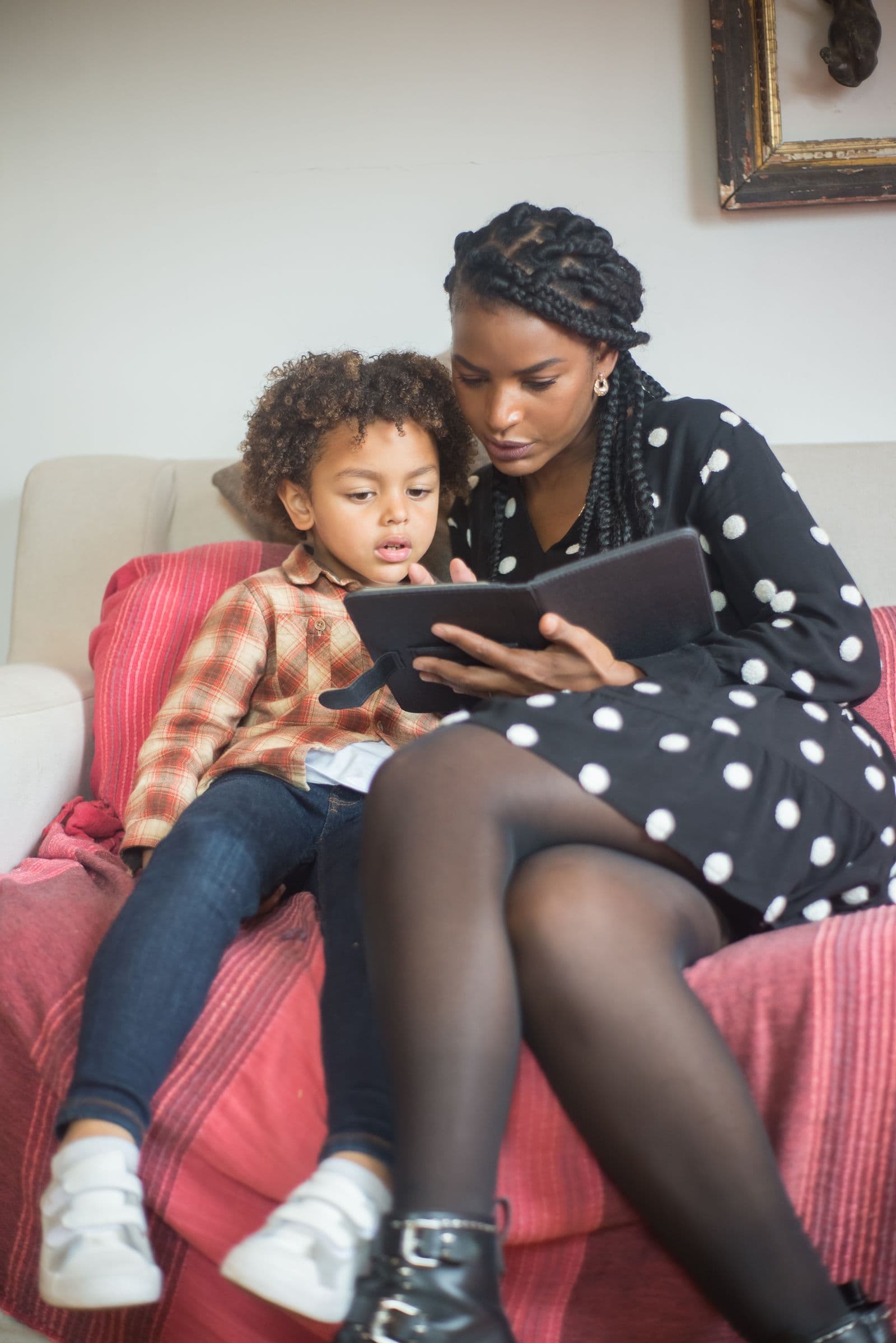
Screen Time by Age: What the AAP Actually Recommends
The American Academy of Pediatrics' screen-time recommendations for babies, toddlers, and preschoolers — by age, in plain language.

Parenting Without a Village: How to Build Support When Family Isn't Around
Judgment-free, practical ways to build a support system when grandparents and family aren't nearby — and how to catch burnout before it takes over.
Mom's Magazine Editorial Team
Editorial Team
The Mom's Magazine editorial team researches and writes practical, plainly-sourced guidance for parents and families. Guides are reviewed for accuracy and updated as recommendations change. Where a topic calls for professional expertise, we cite reputable organizations and, for health topics, add a qualified reviewer before publishing.
Newsletter
Get the Weekly Mom List
One short email a week: the most useful guides, activities, and picks for your family. No spam, unsubscribe anytime.